![Asset 34@4x.png]](https://help.stellarup.io/hs-fs/hubfs/Asset%2034@4x.png?height=40&name=Asset%2034@4x.png)
The Messaging tab allows your community to have direct communication with other users on the platform.
For Administrators:
To configure the settings of your Messaging module, when in admin mode, navigate to Settings and then to the Communications tab.
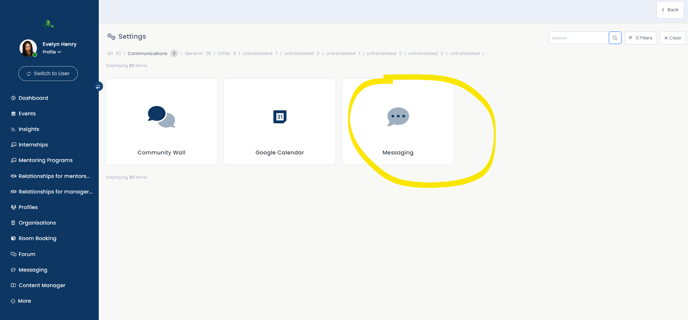
Here, you can set up the following:
- Which roles will have access to the Messaging module.
- Which roles will have admin access to it.
- Whether the module will send email notifications after idle time (and you can set the number of hours).
- Whether to create group chats by role.
Please note: Group chats by programs (where the group name matches the program name) are created by default and cannot be turned off.
For Administrators and Regular Users:
You can access Messaging from the left-hand navigation bar, and generally, there will be a direct link to your messages via your dashboard (either through the "Messages" button in the top-right corner or the "Messaging" widget featuring your recent chats).
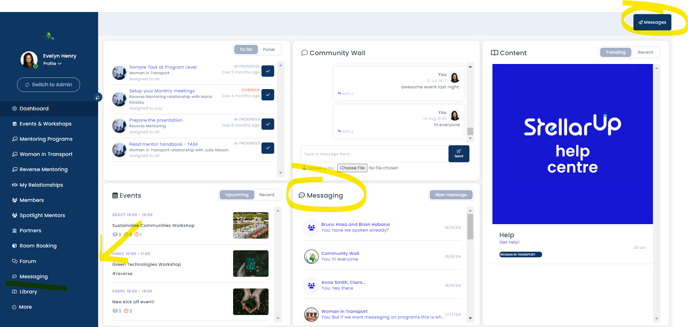
Once you are within the Messaging tab, you will see a list of all users/groups that you currently have communication with. Typically, there will be a few automatically created group chats, including any programs you are a part of, as well as a group for other users within your user role.
In the top right, you have the ability to start a new conversation with another user or group. Please note that this is separate from a relationship and only starts a new direct conversation.
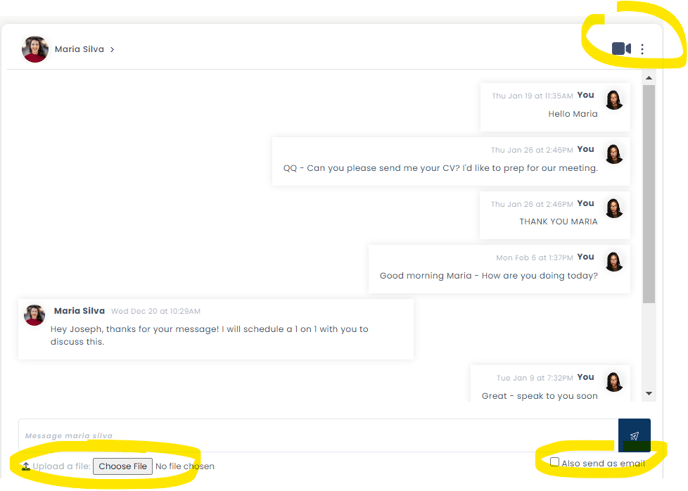
The message box on the right-hand side of the page allows you to communicate directly with your chosen user or group. There is a link at the top of the box where you can jump into a video call through our WhereBy software, and you also have the ability to upload any documents using the "Upload a file" button. You can also choose to send the message as an email by ticking the box next to "Also send as email" before sending the message.